 TalkGroup
See TalkGroup in action
Short clips from the app itself: first two phones talking to each other, then each feature up close.
Two phones, no signal, talking
Maya starts a group. Sam’s phone finds it nearby, joins with one tap, and they talk, phone to phone, with nothing in between.
- Sam's phone finds Maya's group nearby. No signal, no accounts.
- Sam taps Join and is in. Maya sees Sam appear.
- Maya holds Talk. Sam hears her right away.
- Sam answers. Maya's screen shows who is talking.
- Too loud to talk? Sam sends “On my way” and Maya's phone buzzes.
Recorded from two iPhone simulators running the real app. The status bar shows Airplane Mode to make the point: TalkGroup needs no cell service and no Wi‑Fi network, only Bluetooth or Wi‑Fi switched on so the phones can reach each other. Video only: in the app, the voices play in your friends’ AirPods.
Start a group in seconds
Name your group and tap Create. The invite opens right away with a QR code, so friends can scan it and join.
- No accounts, no phone numbers, no sign-up.
- Friends join by tapping phones together or scanning the code.
- Up to 8 phones in a group.
Hold to talk
Press and hold the big button, speak, and let go. Everyone in the group hears you in their AirPods, even over loud music.
- The ring lights up while you talk, and your icon shows on the button.
- Everyone in the group has a tile with their emoji icon, so you see who is talking and who is in range.
- Works with no cell service. Phones talk directly to each other.
Quick signals
Too loud to talk? Tap Signals, then a signal like “On my way” or “Leaving now” and the whole group gets it, with a buzz they can feel.
- “Come here” and “I’m OK” have their own buzz, so you can tell them apart with the phone in your pocket.
- Signals work even when nobody can hear.
Group chat, with no signal
Text the group when talking is not an option. Messages travel phone to phone and catch up when someone comes back in range.
- Hold the mic button to leave a voice message for friends who are out of range.
- Encrypted between phones. Nothing goes to a server.
Whisper
Press and hold a friend’s tile and choose Whisper. Now only they hear you, until you switch back to everyone.
- The rest of the group keeps talking as usual.
- The same menu shows where someone was last seen.
More screens
A few more things TalkGroup does.
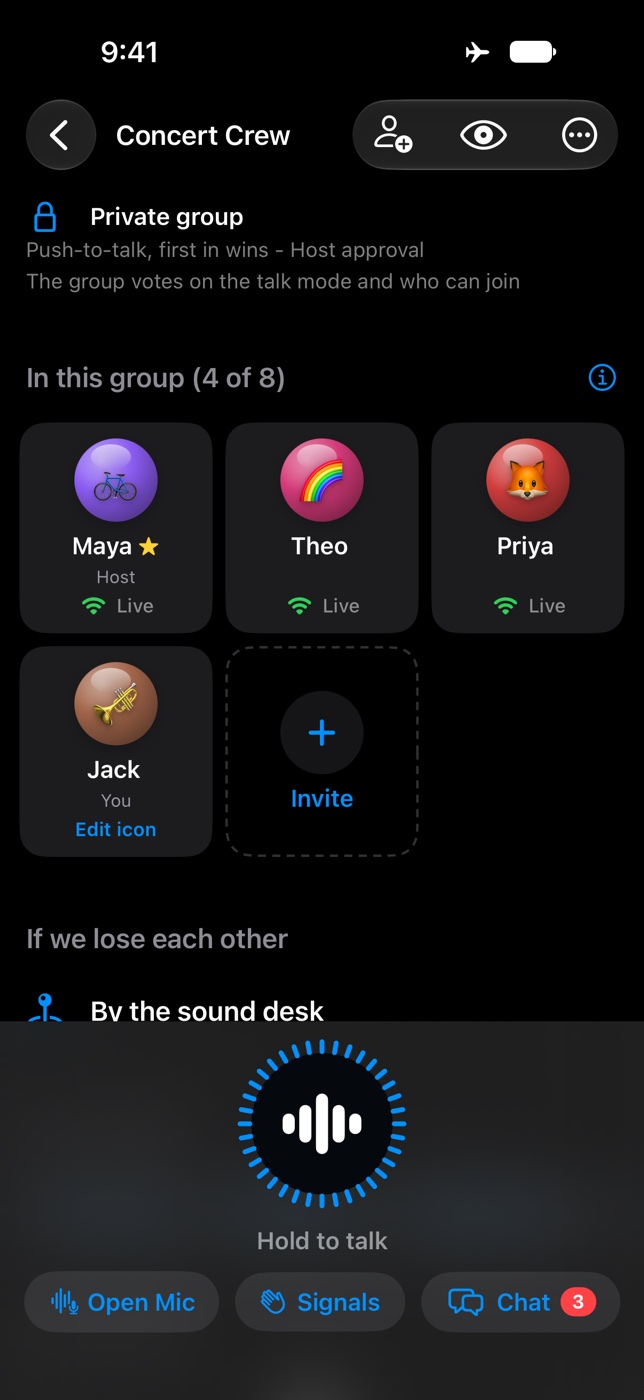
Grid layoutA tile for each person with their emoji icon and whether they are in range. The host’s meeting point sits below. 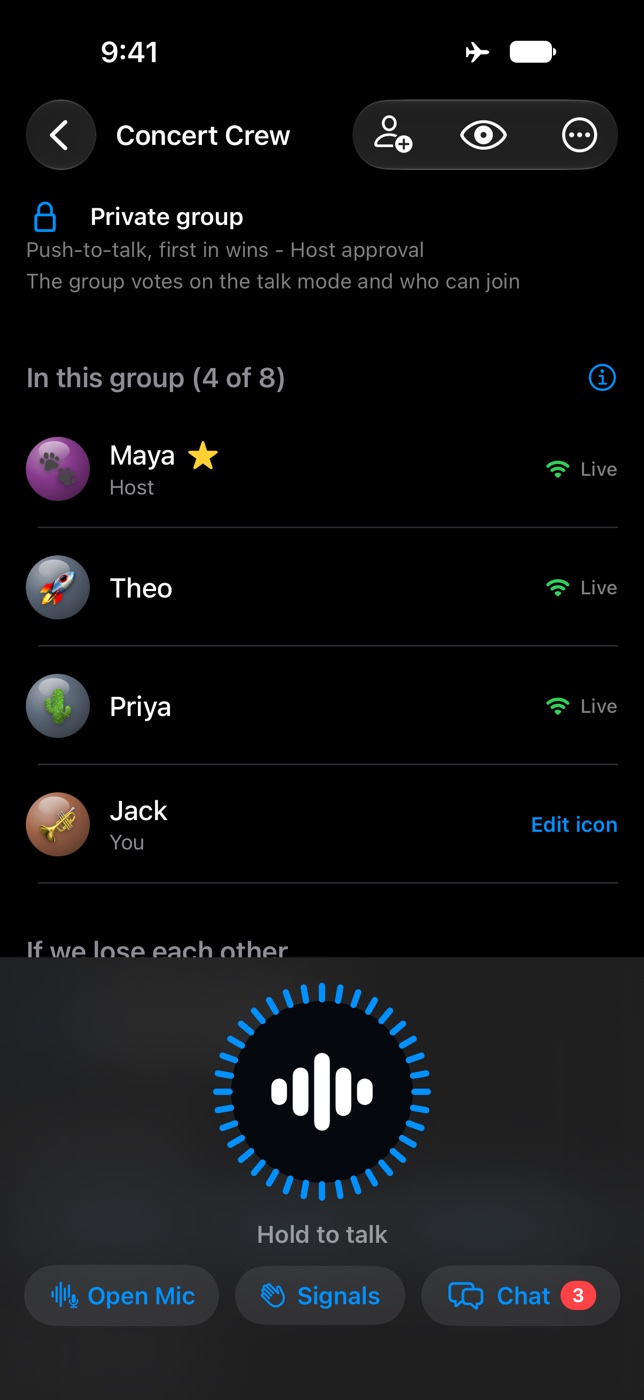
List layoutPrefer rows? Switch to List in Settings, under Themes. It only changes your phone. 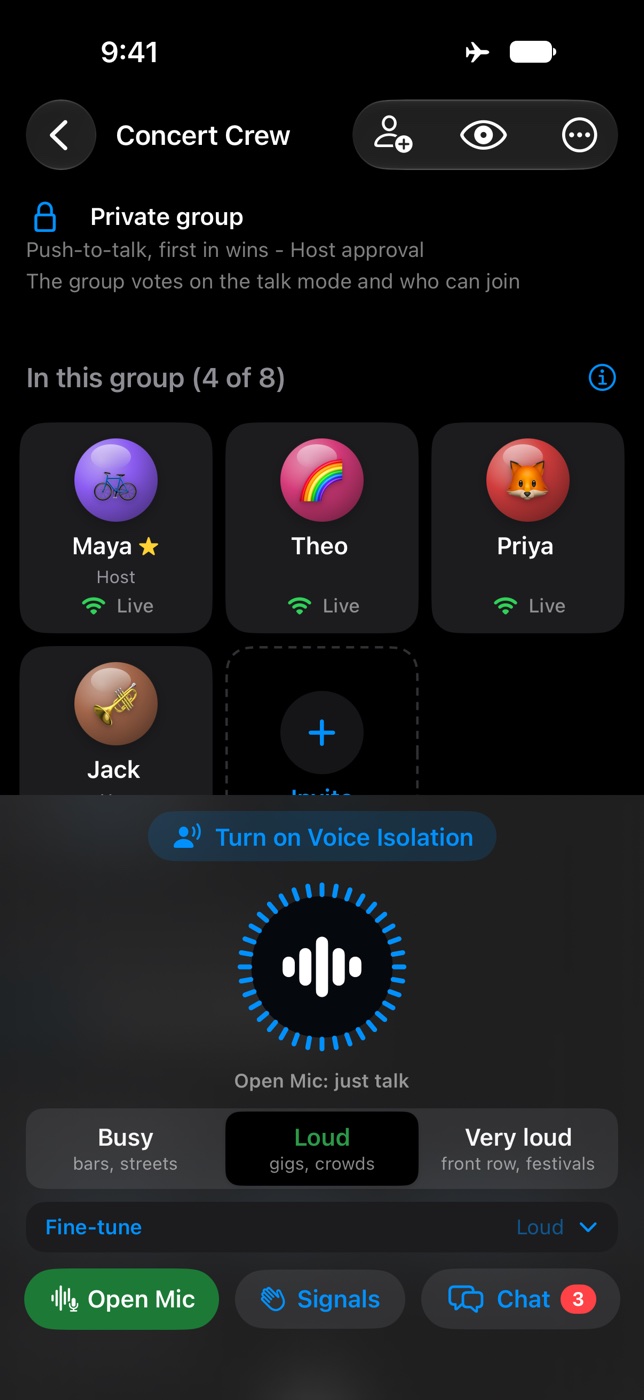
Open MicJust talk, no button. Pick Busy, Loud or Very loud for where you are, so music and crowd noise stay out. One tap turns on Voice Isolation. 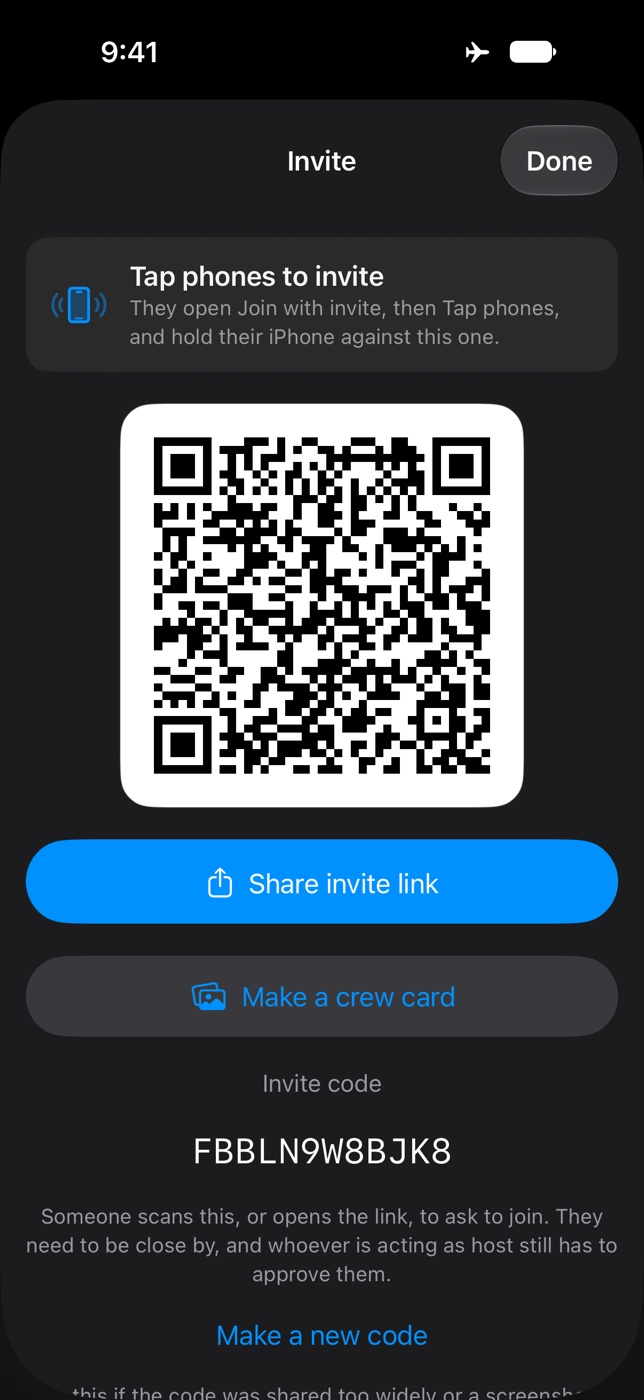
Invite with a QR codeFriends scan it to join. Or share a crew card image. 
Pocket modeBlocks stray taps while your phone is in a pocket. Hold the lock to come back. 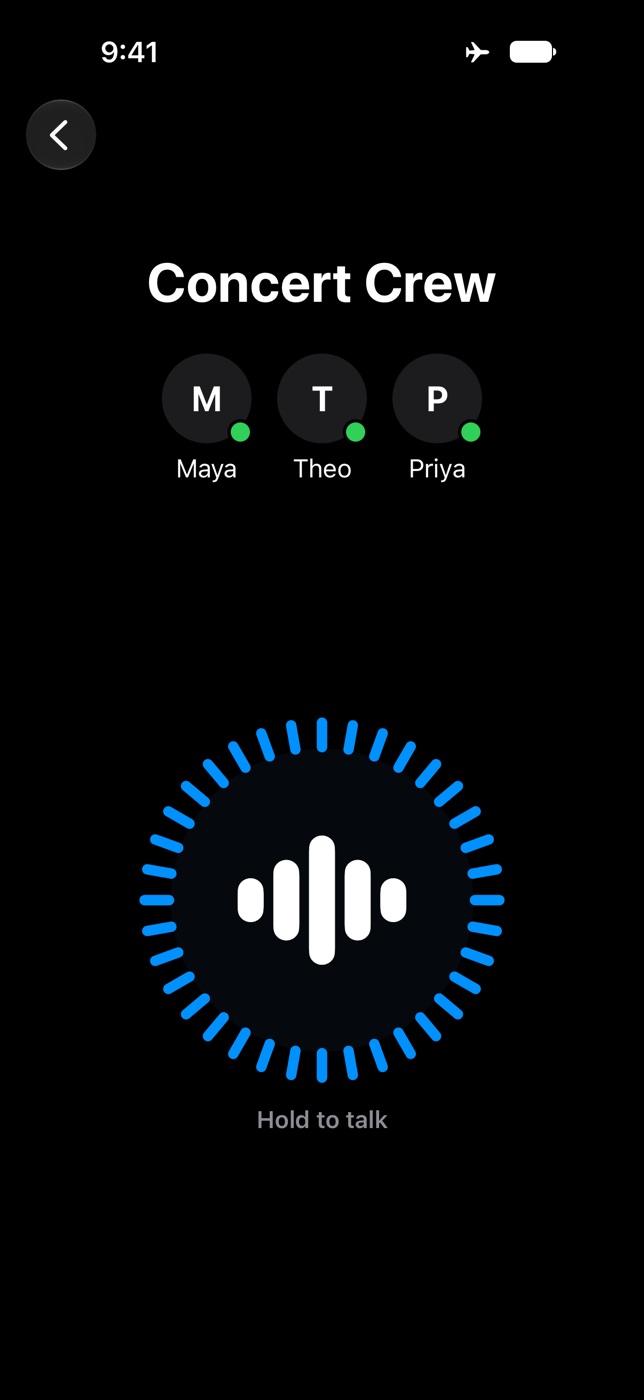
Simple modeOne big button and nothing else. Good for first-timers. 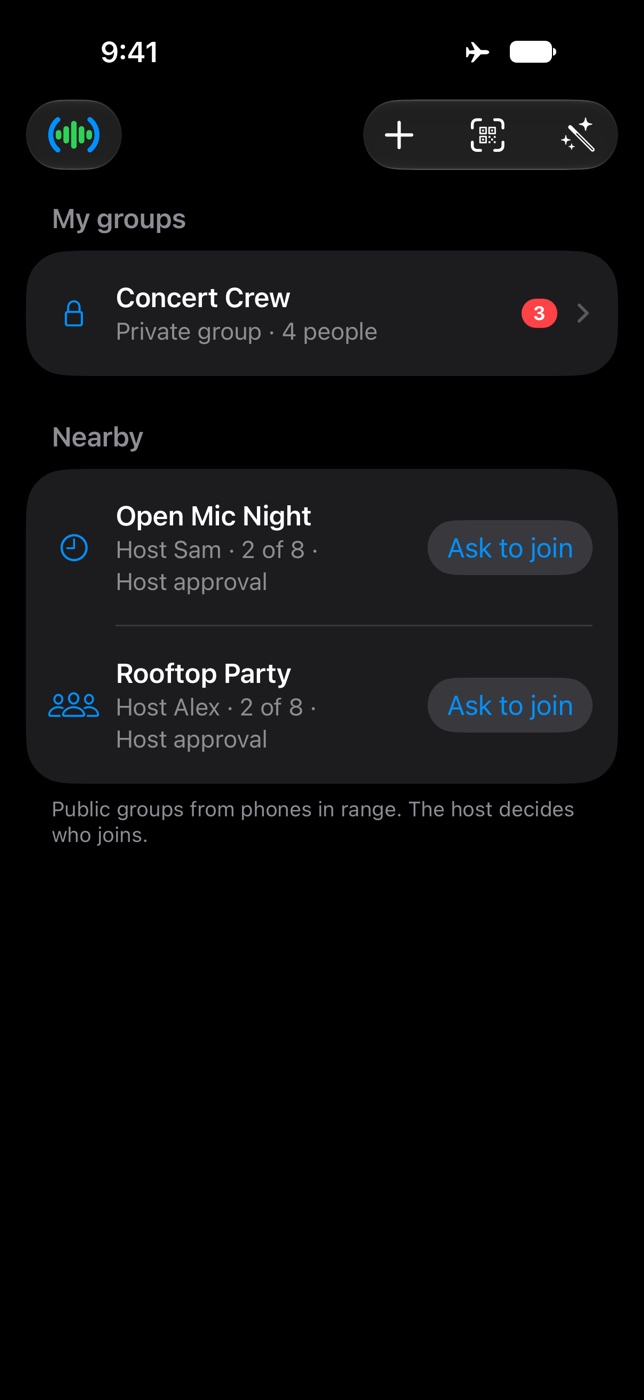
Groups nearbyYour groups, plus public groups from phones in range that you can ask to join.
Clips are recorded from the app on an iPhone simulator, with pretend group members. The names are made up.
Try it with your own crew
Tell me when it’s outTalkGroup is coming soon to the App Store, for iPhone.